
Hoopsalytics Tour
Explore all the amazing coaching tools and insights Hoopsalytics has to offer.
Starting a Game and Uploading Game Videos
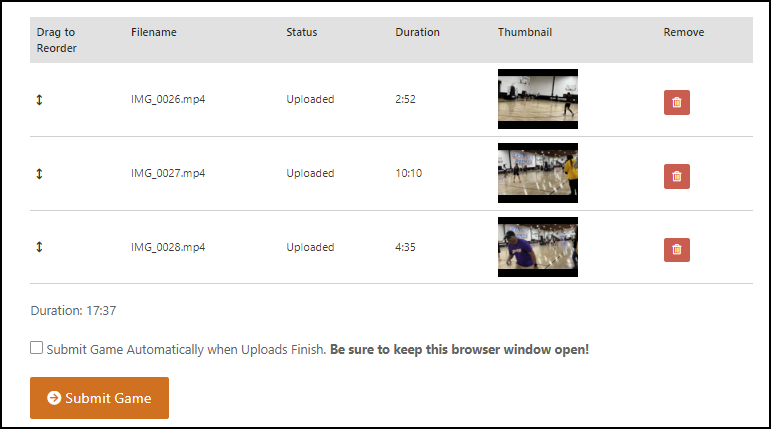
Example — click to expand.
Uploading game film videos is super-easy. And only Hoopsalytics supports multiple ways to upload:
- Upload via drag-and-drop one or more video files to the ultrafast Hoopsalytics server.
- Supply a YouTube link.
- Enter a URL for an MP4 video already on the web.
If you make a mistake, it's easy to re-upload or reorder files.
Watch this short video to learn more:
Game Video Upload Features
- Use Hoopsalytics to scout two outside teams, or analyze your own games.
- You can also analyze and mark up practices.
- You can pick the teams from those entered previously, or add a new team on the fly.
- Specify the Jersey color for each team to make it easier to score and minimize mistakes.
- Classify games as pre-season, league, division, tournament or playoffs - this makes it easier to segment multiple game stats by game type.
- Decide if you will score this game yourself, or have Hoopsalytics score it for you (requires subscription with scoring option).
- Pick a Video Source: Upload to Hoopsalytics, use a YouTube URL, or use a publicly accessible URL for an MP4 file.
- Game videos must be in MP4 or MOV format.